
About Tripop
Plan with AI, save places, link booking documents and split expenses by person. Keep your trip together and share settlement details as an image or text.
These new features are available in app version 1.12. Install that version from your store to use them.
Core facts
- Name
- Tripop
- Category
- AI travel planner · itinerary · expense tracker · voucher organizer
- Platforms
- iOS · Android · Web (tripop.app)
- Price
- Core features free. AI features use points (free on sign-up; top up with ads, IAP or on the web)
- Languages
- English · Korean · Japanese · Chinese
- Offline
- Saved itineraries, checklists, and vouchers downloaded on that device open offline in iOS/Android apps. Web, maps, AI, and FX updates need internet
- AI model
- Google Gemini 2.5 Flash (server-side)
- Use cases
- Independent travel (international + domestic) · honeymoon · family · business
- Distribution
- App Store + Google Play + direct web access
Key features
AI itinerary generation
One sentence, such as "Tokyo 4 nights family trip", creates an itinerary draft. Booking PDFs and photos supply reservation details for the itinerary, checklist, and vouchers. Transfers or free time absent from the document may be added. Distinguish these from the original bookings and check dates, times, and booking numbers.
Shared expenses, clear individual totals
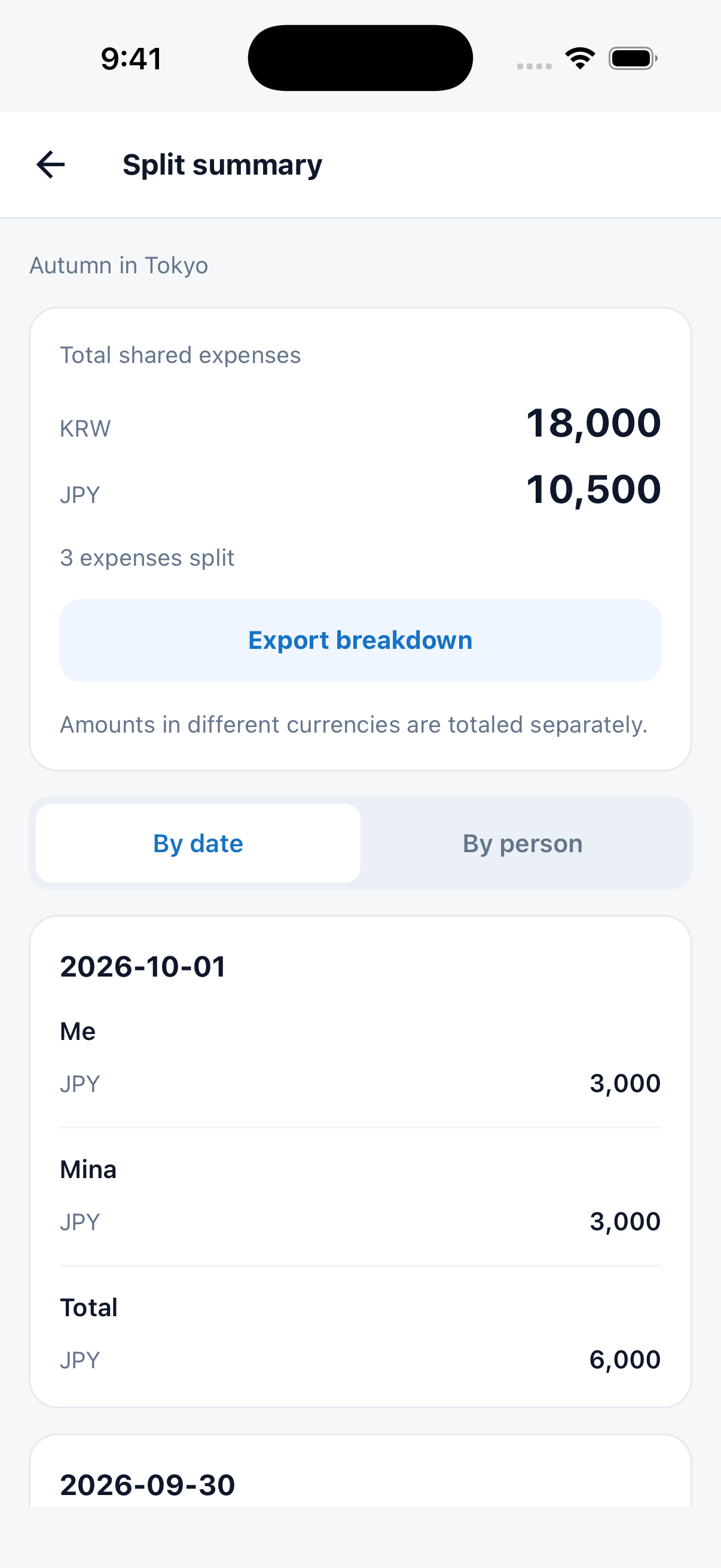
Choose who joins each expense and split it equally or enter individual amounts. Review by day or person, then export one long image or share the details as text.
Save places now. Plan the day later.
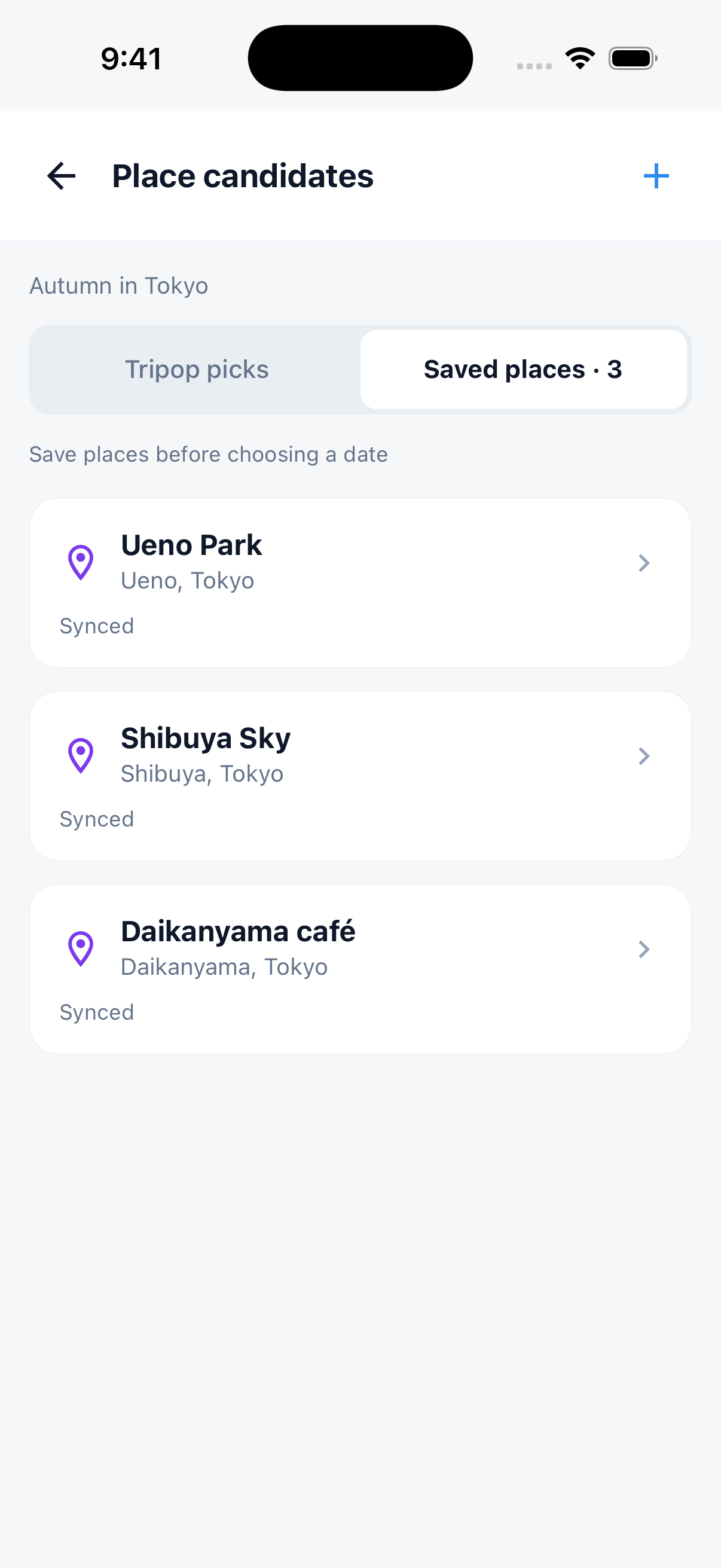
Keep places, notes and locations in your candidate list. Add them to a day when you are ready, then review your schedule and map.
Your travel tools, easy to find
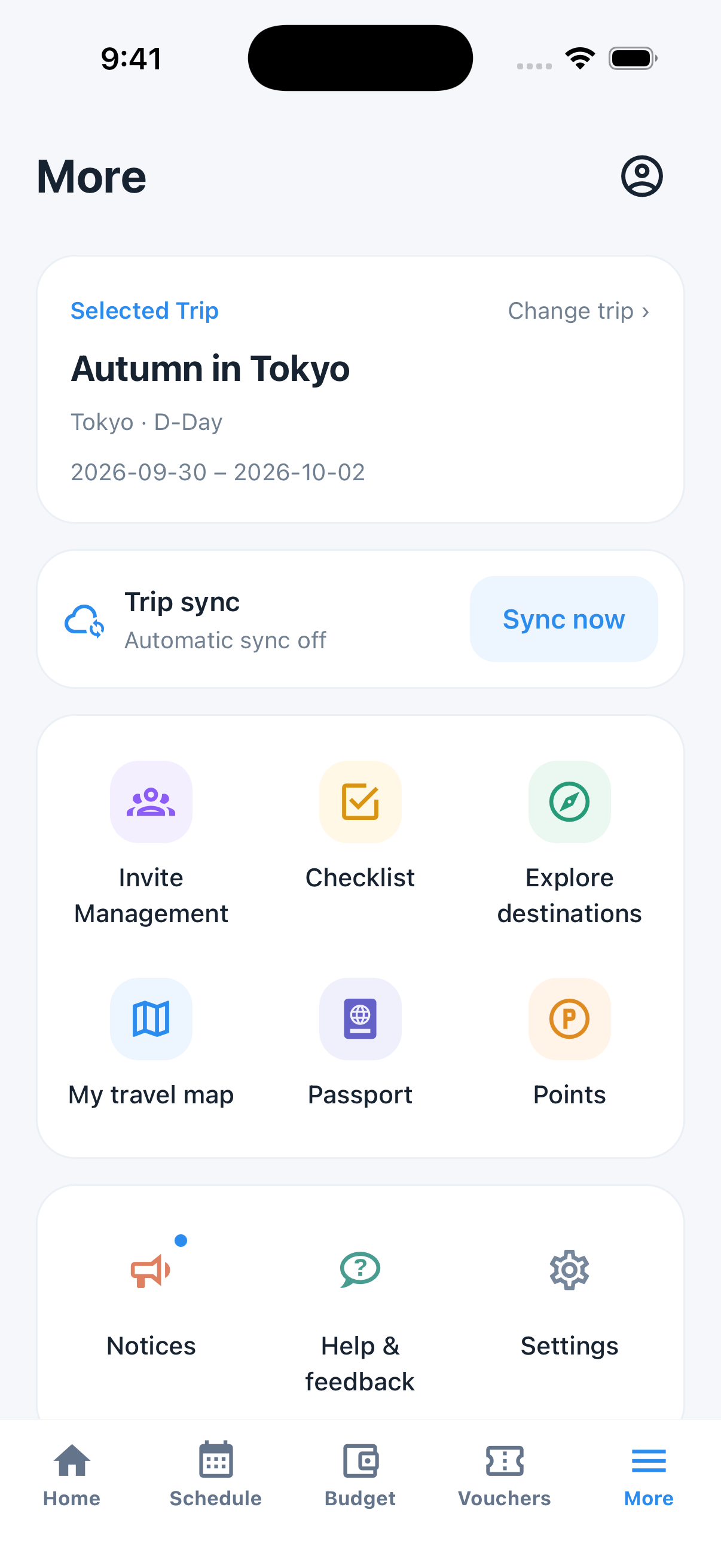
Find invitations, checklists, your travel map and passport by their icons. Sync stays near the top, with notices, feedback and settings together below.
Your next plan, right on Home
See what is next today and open your map app or linked booking documents directly.
Connect bookings to your plans
Tap Link schedule when adding a voucher, then choose an event grouped by date. Linking is optional; you can simply keep the file.
Keep a record of where you have been
Collect country stamps from past trips in your passport and revisit your destinations on your travel map.
Companion sharing
Invite family, partner, or friends to one trip. Hand out editor or viewer roles, and everyone's changes sync automatically. Replaces group chats with one screen.
Offline reading
Saved itineraries and checklists, plus downloaded vouchers, open in airplane mode in the iOS and Android apps. Web, maps, AI, and exchange-rate updates need internet.
Four-language UI and content
The app UI and Tripop's own content come in Korean, English, Japanese and Chinese. Text you type into a trip stays in the language you typed it.
FAQ
Can I split travel expenses and share the settlement?▾
After signing in, choose participants for each expense in Budget. Include or exclude yourself, split equally or enter individual amounts. Use Export details in Settlement to share an image or text. Different currencies are totaled separately. Money transfers happen separately in your preferred payment app.
How do I add a saved place to my itinerary?▾
Save places in the schedule's candidate list. Tap Add to schedule on a candidate and choose a day to place it in your itinerary.
Where can I find notices or send feedback?▾
Open More for notices and Feedback & help. Sign in to send a message of 5–500 characters. Feedback is limited to one submission per 60 seconds and five per day.
What does Tripop do?▾
Tripop is an AI travel planner. Text prompts create itinerary drafts; booking PDFs and photos supply reservation details for itineraries, checklists, and vouchers. Check dates, times, booking numbers, and saved voucher links against the original. Receipt photos help fill an expense log, and trips can be shared with family or friends.
Which platforms support Tripop?▾
iOS (App Store), Android (Google Play), and the web (tripop.app), all free and synced through one account.
Does it work offline?▾
Saved itineraries and checklists open offline in the iOS and Android apps. Finish downloading voucher PDFs and images on each device and test opening them before departure. Syncing alone does not download the files. Web, maps, AI, and exchange-rate updates need internet.
Which languages does it support?▾
English, Korean, Japanese and Chinese, for the app UI and for Tripop's own content. Note that itinerary text you type in yourself is not machine-translated, it stays in the language you entered.
How does Tripop differ from TripIt or Wanderlog?▾
Tripop combines AI itinerary drafts, booking documents, and expenses in a four-language UI. TripIt also imports photos and PDFs into plans through Image to Plan, requiring Pro and an Apple Intelligence-compatible device running iOS 26 or later. Wanderlog combines maps, itineraries, and collaboration, with offline access listed as Pro. Check the official sources below for device and plan conditions.
Is it really free?▾
Signup and core features are free, and manual entry is always free. Only AI features draw points, and you get free points on sign-up. If you run out, you can top up with rewarded ads, in-app purchase, or on the web.
Official competitor features · checked 9 September 2026
Learn more
Editorial policy and corrections
Tripop publishes and edits this blog. Our travel articles are research-based guides to help readers choose itineraries and budgets. We use AI to assist with drafts, organizing research, translation, and review. We do not present an article as on-site reporting or a first-hand travel account unless it explicitly documents that experience.
When checking changing information such as fares, opening hours, booking rules, and entry requirements, we compare it with the relevant official tourism authority, transport operator, or venue. Each guide’s source notes describe the scope and sources checked. This does not mean every older article has received the same recheck.
“Published” is the public release date; “Updated” records a substantive content change; “Facts checked” is the recorded verification date. A fact check does not mean an on-site visit or guarantee that every detail remains current. Articles without a recorded verification date receive no fact-check badge.
To report an error or change, email help@tripop.app with the article URL, the relevant sentence, and a source we can check. We assess the information and make the necessary corrections.
Try Tripop free
Natural language → AI itinerary. Booking PDF/photo → voucher. Receipt photo → expenses.