
A guide to travel itinerary apps from the Tripop team.
If you are looking for a Triple alternative, try preparing your next trip with Tripop. You can organize daily plans, flight and accommodation documents, travel expenses and packing items within one trip. It is especially useful for the person looking after the plans for a family or friends' trip.
The hotel confirmation may be in your email, the restaurants you want to visit in a note, and the meeting time in a group chat. Before departure, gathering everything takes effort; during the trip, you have to find the details again. Create a trip in Tripop and collect your preparations there. The material you organize while planning stays in the same place for you to open during the trip.
Create your first trip in Tripop
Keep places, times and notes in each day's itinerary
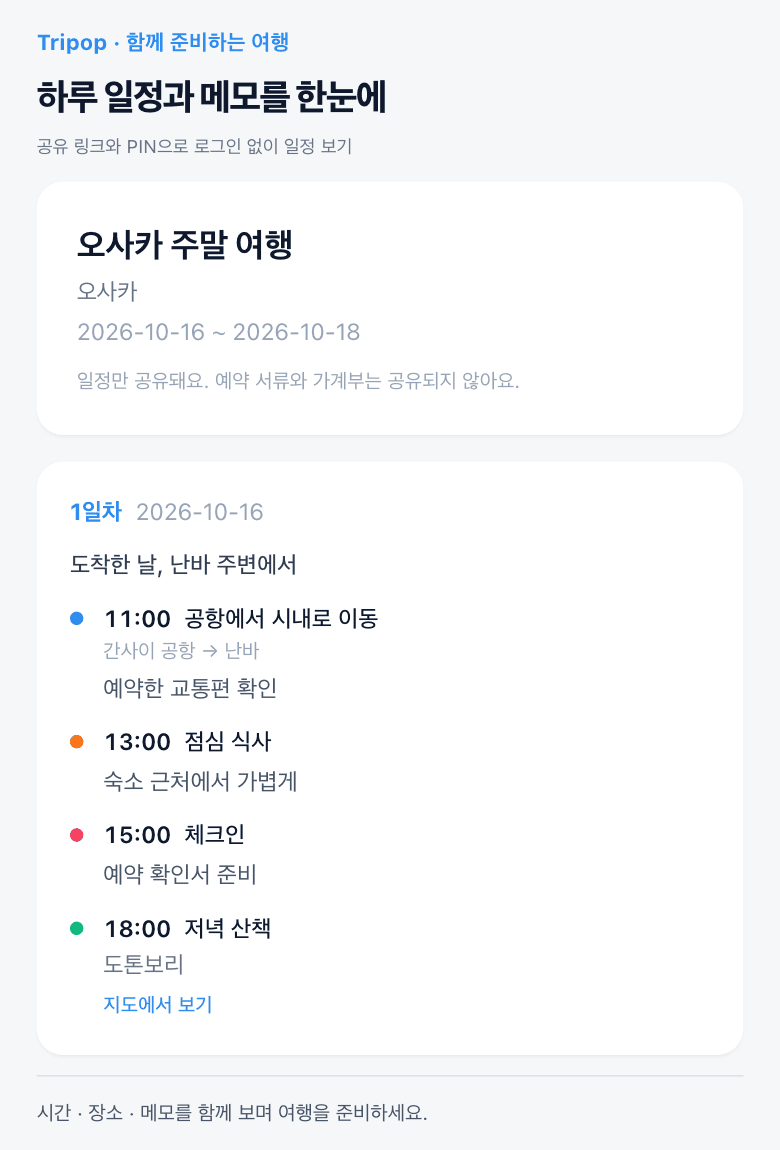
A travel plan takes shape when a list of places becomes the flow of a day. On day one, you might travel from the airport to your accommodation, leave your bags, have lunch and take an afternoon walk. In Tripop, you can organize places and times by day and add notes worth remembering together.
Add the transport you will take from the airport, your restaurant reservation time and the stop you will make before hotel check-in to the relevant part of the itinerary. You can follow the daily plan when explaining it to your companions, too. It is easier to see where you are going today and when than when place names are scattered across different notes.
Keep flight and hotel confirmations with the trip
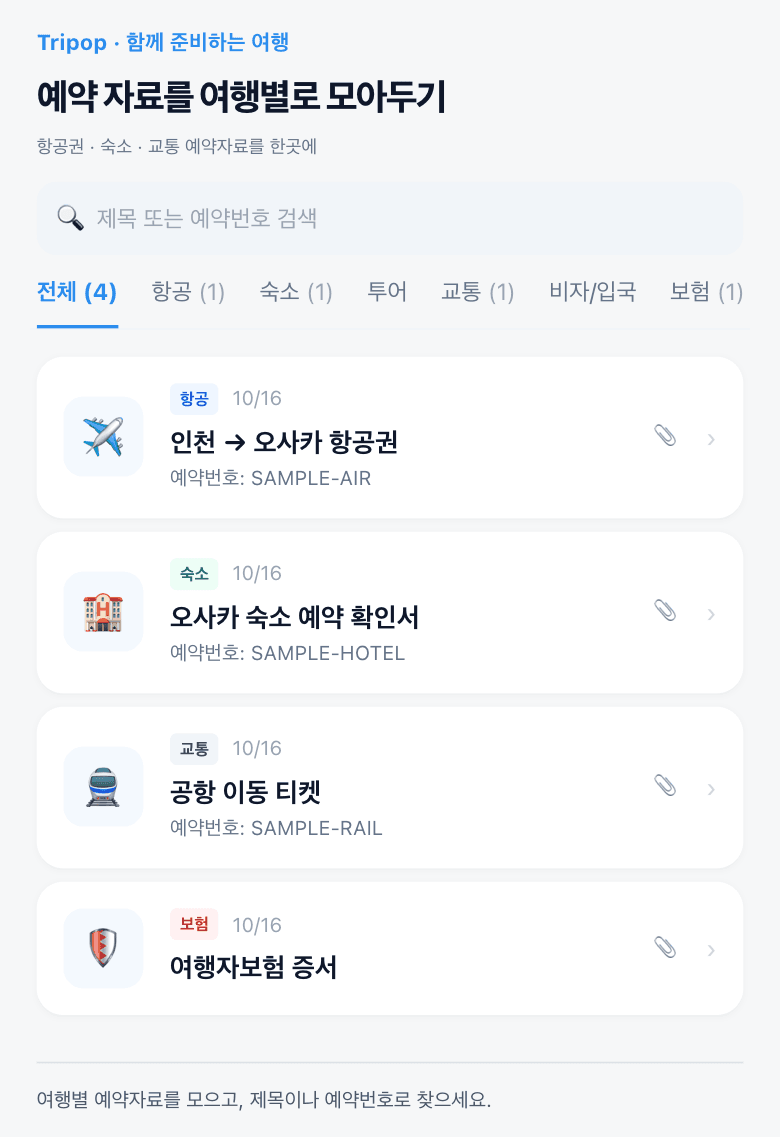
When you need a booking confirmation at the airport or outside a hotel, you need the documents for that trip. In Tripop, you can organize booking dates, reservation numbers, notes and attachments together. Keeping flight, accommodation and transport confirmations in the relevant trip gives you a clear place to look for them.
Organize confirmations from different booking providers by trip as well. For example, find the accommodation name, then check its reservation number and notes. Preparing this way can reduce the back-and-forth between emails and chats to find the same document.
Give family members today's plan through a shared link
You do not have to explain every place and time to your parents again in messages. Send an itinerary link and access code, and the recipient can view the plan on the web without signing in. Share the daily plans before departure, and let everyone know where to find the itinerary during the trip.
Friends who are planning with you can sign in and join with editing permission. Using viewing and collaborative editing for their respective purposes lets family members who only need to read the plan and companions who will add places take part in the way that suits them.
Booking documents and the expense ledger are managed by the trip's owner and editors. Use the itinerary link to show family members the plan, while the people organizing the trip work on the materials together.
See foreign-currency spending and your remaining budget
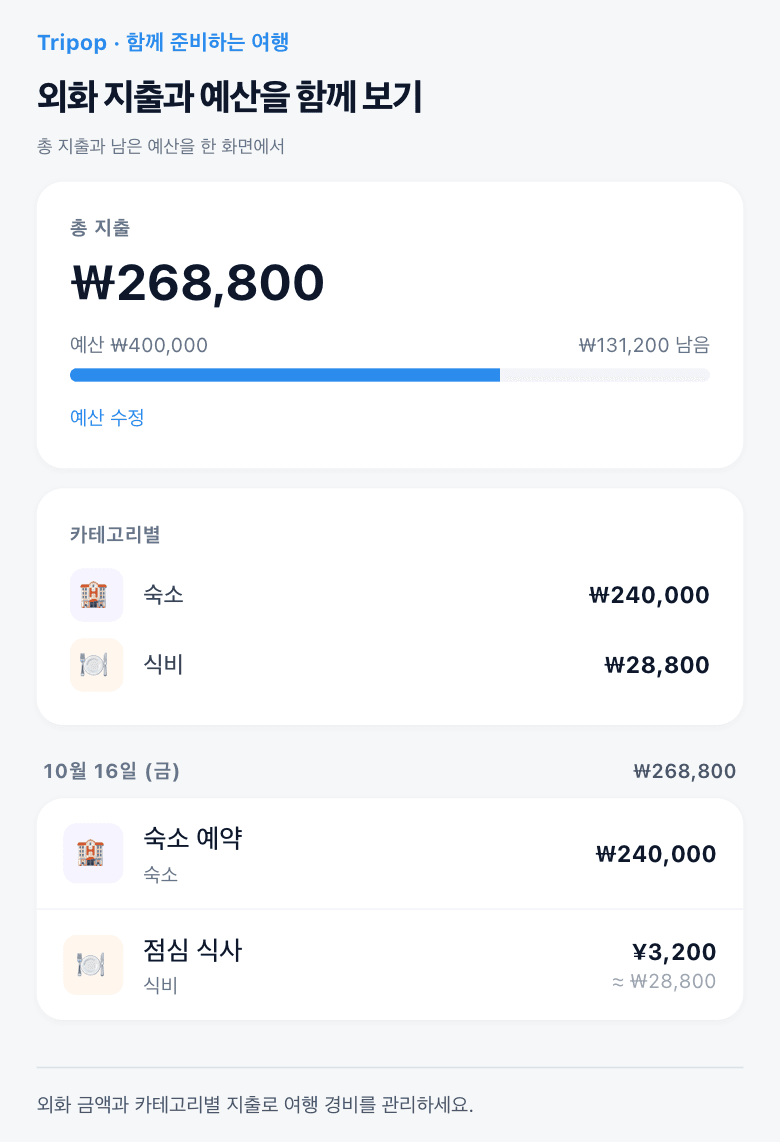
Recording meal and transport costs while traveling makes it easier to look back at what you spent in each category. Tripop's expense ledger shows total spending, the remaining budget and spending by category. Set a trip budget and collect the expenses so you can refer to them while preparing the next part of your itinerary.
For an overseas trip, enter both the amount and currency. On the web, you can save foreign-currency expenses in currencies with available exchange-rate information. Recording items under food, transport or shopping helps you see the makeup of your travel spending along the way, instead of waiting to sort a pile of receipts at once.
Prepare on a PC, then check your plans on your phone
A larger screen is handy when downloading booking documents and organizing plans across several days. After signing in to Tripop on the web, the trip's owner and editors can manage its itinerary, booking documents and expense ledger. Prepare the trip on a PC at home, then check the plans you need on your phone while on the move.
You can also put packing items on the checklist. Add a charger, travel adapter or toiletries when you think of them, then check the list before departure. Keep track of what to pack within the same trip where you organized the itinerary and booking documents.
| What you want to do while preparing | What to organize in Tripop |
|---|---|
| See the day's plan at a glance | Places, times and notes for each day |
| Find the booking documents you need | Flight and accommodation confirmations, reservation numbers and attachments |
| Give family members the plan | An itinerary link and access code |
| Review travel spending | Expenses, categories and budget |
| Pack before departure | A checklist for each trip |
Start with the first day of your next trip
You do not need to fill in the entire itinerary at the beginning. Start with the trip dates and places for day one, then add the booking documents you have already received.
- Create a trip and set the dates. Add the places you will visit on the first day and the times you need to remember.
- Collect flight and accommodation confirmations. Organize reservation numbers and notes alongside them.
- Share the itinerary with your companions. Send the link and access code so everyone can view the same plan.
Start preparing in Tripop instead of looking for your itinerary, booking documents and expenses in separate places. Create your next trip with Tripop