
A travel app comparison guide from the Tripop team.
When choosing a travel app, think about what you will often need to look up during this trip. If today's places and meeting times, a hotel reservation number and your spending so far come to mind, an app that keeps your itinerary and travel materials together can help.
On a family or friends' trip, several people use what one person has prepared. Look beyond creating a plan to how you will find booking documents again and give companions the itinerary, and choosing becomes easier. We recommend Tripop for people preparing this kind of trip.
How can five travel apps help you prepare?
The table below summarizes representative ways to use each app. Match them to the things you do frequently when traveling.
| App | Main ways to use it | When it comes in handy |
|---|---|---|
| Tripop | Organize itineraries, booking documents, expenses and checklists by trip | Preparing a family or friends' trip and sharing the itinerary with companions |
| Triple | Use destination information, itineraries, shared planning and a travel ledger | Preparing an itinerary while exploring city information |
| Wanderlog | Plan together with maps and itineraries, and split costs | Adding places and adjusting routes with companions |
| TripIt | Turn booking confirmation emails into a travel itinerary | Gathering emails from several booking providers |
| Google Maps | Save places, view maps and share lists | Collecting restaurant and attraction candidates to choose together |
Official feature information: Tripop · Triple · Wanderlog · TripIt · Google Maps
With Tripop, focus on organizing itineraries, booking documents, expenses and packing items by trip, then sharing the plan.
Create your first trip in Tripop
Tripop: bring scattered trip preparations together
If you find hotel confirmations in email, plans in notes and packing items in chats, gather those materials around the trip itself. Create a trip in Tripop and add daily plans and booking documents. You can then open the same trip whether you are preparing at home or checking details at your destination.
Imagine preparing a trip to Osaka. For day one, write down how you will travel from the airport to your accommodation and add the hotel confirmation to the booking documents. Before departure, check packing items on the checklist; once there, record meals and transport costs in the ledger. What you prepare before the trip becomes the material you look up during it, which is why we recommend Tripop.
Find the booking documents you need at the airport or hotel
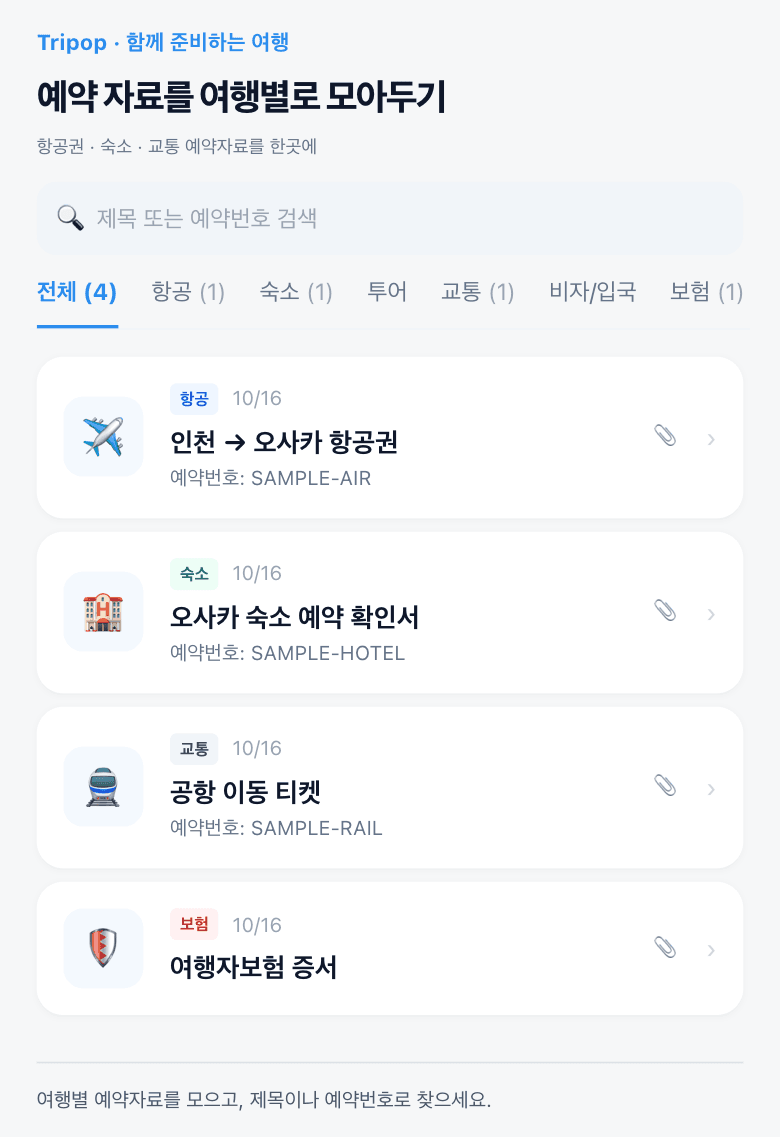
At check-in, you need the accommodation name, reservation number and confirmation. Tripop's booking documents let you organize dates, reservation numbers, notes and attachments together. Keeping flight, hotel and transport confirmations by trip makes it easier to remember where you put them.
Even if you booked through several providers, you can organize the documents you received within the same trip. Add flight and hotel confirmations before departure, then open that trip to find them while traveling. This can help reduce requests for someone to resend a document and the need to scroll through old messages.
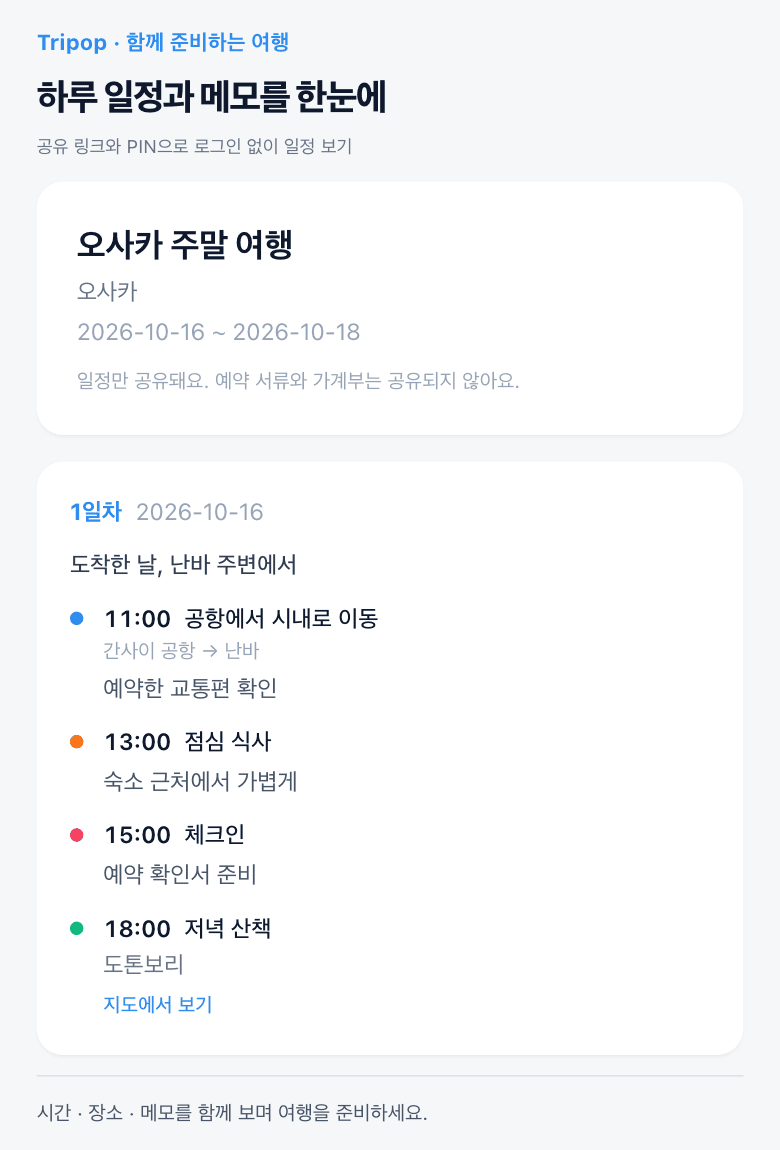
An itinerary link for parents, editing permission for friends who help plan
You do not need to rewrite each day's plan in a message to tell your family the itinerary. A valid Tripop itinerary link and access code let people view the plan on the web without signing in. Send the link and code to your parents or companions.
Friends who will help change the plan can sign in and join with editing permission. Booking documents and the expense ledger are managed by the trip's owner and editors. People who view the plan and people who help prepare it can each take part in the way they need.
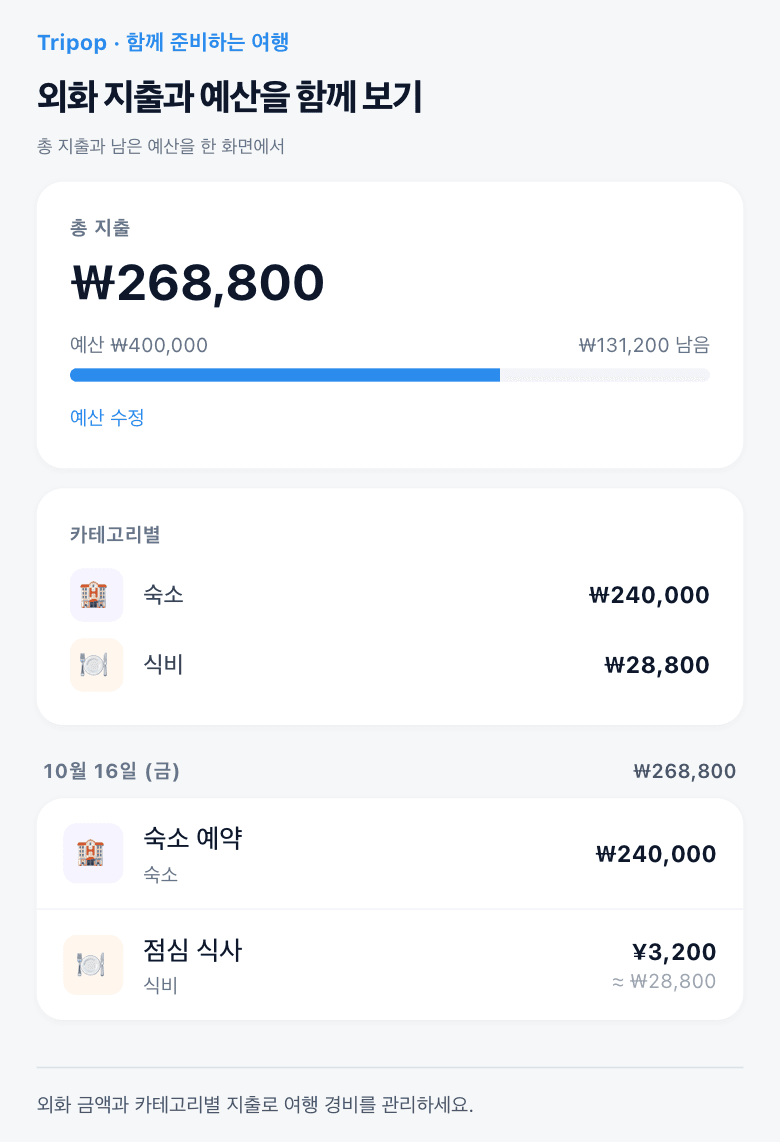
Review travel spending alongside the budget
Record a meal or a transport fare as you go, and it becomes easier to review spending for the whole trip. Tripop's expense ledger shows total spending, the remaining budget and expenses by category. Check how much has gone toward food, transport or shopping.
On an overseas trip, you can record both the amount and currency. On the web, foreign-currency expenses can be saved for currencies with available exchange-rate information. You can check costs within the same trip where you view the itinerary and booking documents, bringing useful details together when you review the trip.
Prepare on a PC and pick up the plan on your phone
Use a PC screen when organizing plans across several days or adding booking documents you have downloaded. After signing in to Tripop on the web, the trip's owner and editors can manage the itinerary, booking documents and expense ledger. Organize everything on a larger screen before departure, then check the plan on your phone during the trip.
Checklists can also be managed by trip. Write down items to pack, such as chargers and travel adapters. Keeping packing reminders in the same trip when they occur to you while planning makes them easy to check again before departure.
Planning a trip with family or friends? Start with Tripop
The person preparing a trip needs more than a list of places. There are daily plans, booking documents, an itinerary to send to companions, expenses and packing items to look after. We recommend Tripop if you want to keep these together by trip.
- Create a trip and enter the places and times for day one.
- Add one flight or accommodation confirmation to the booking documents.
- Send your companions an itinerary link and access code.
Start with your next trip in mind. Organize your itinerary and booking documents in Tripop