
A Tripop 1.12 expense guide from the Tripop team. Use the split and summary features below after receiving the 1.12 update from your app store.
Dividing the total is not always enough on a trip with friends. Three people might have lunch together, only two might take a taxi, and each person's ticket could cost a different amount. Tripop lets you choose the people and amounts for each expense, then view them by date or person.
Instead of collecting figures from group chats after returning home, record costs in Budget and choose the participants while traveling. You can share the resulting breakdown as a receipt-style image or text. The split and summary screens are available to signed-in trip owners and editors.
Organize travel spending with the Tripop app
Record expenses and keep the budget in view
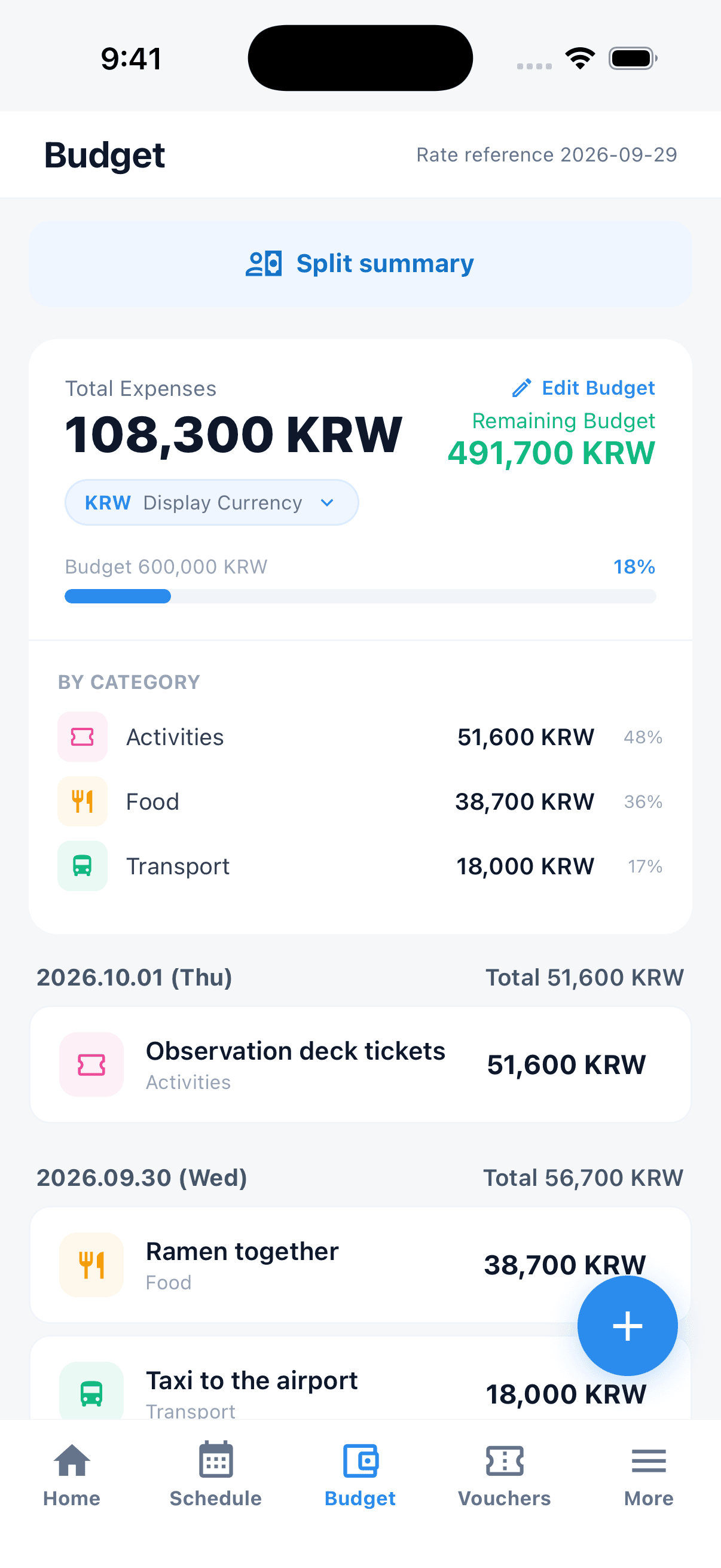
Record meals, transport, admission tickets and other spending in Budget. You can see total expenses, your remaining budget and spending by category together. On an overseas trip, recording both the amount and currency makes the original figure easy to check when deciding shares later.
Try names such as “ramen for three” instead of “dinner,” or “airport taxi” instead of “transport.” Even with several expenses on the same date, it is easier to tell which cost should be shared with whom.
A meal for three, a taxi for two: split each expense
Open an expense you have already recorded in Budget and tap Split expense. Adding or removing participants divides the amount equally among the selected people. A friend who does not use the app can be included by entering their name under Add people.
If people should cover different amounts, edit the figure beside each name. Tap Split equally to return to equal shares. Any amount not yet assigned appears as unallocated, so you can save the part you have decided and finish the rest later.
For example, a 4,500 JPY meal split equally among three people gives each a 1,500 JPY share. For a separate taxi expense, choose only the two people who rode together. The useful habit is to select the people involved in that expense, instead of using the entire travel group every time.
Check the split currency and applied exchange rate
A new split starts in the expense's original currency. To divide it in another currency, select a supported currency on the split screen and check the original amount, applied rate and rate date. You can enter a rate you have checked or apply the latest rate.
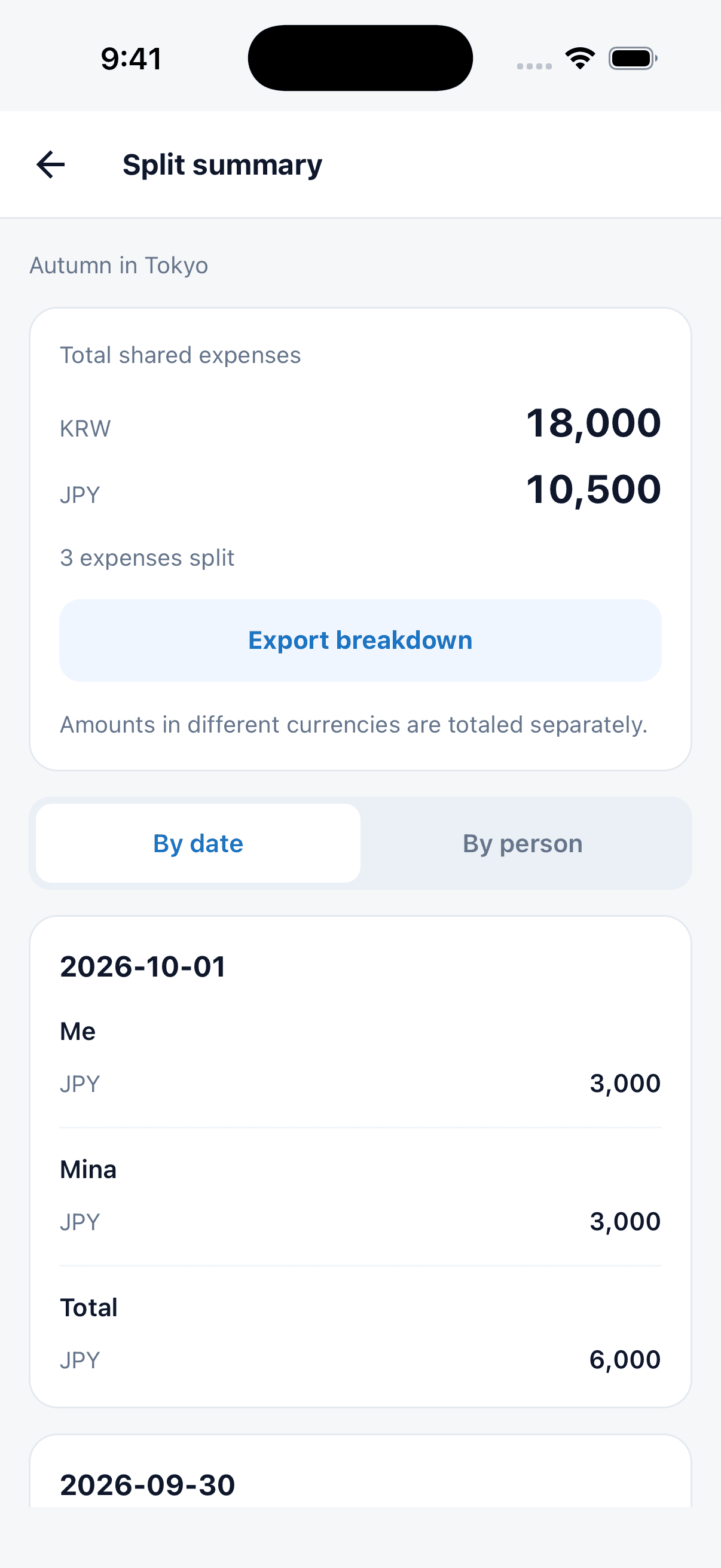
The selected currency and rate stay with the saved split. The summary totals different currencies, such as KRW and JPY, separately, so you can see how much was allocated in each. After changing currencies, check the individual shares against the new amount before saving.
Review by date or group the amounts by person
Open Split summary at the top of Budget to see total saved shares and any unallocated amount. The date tab shows people's amounts for each day; the person tab shows each person's daily amounts and totals.
Use the date view to answer “How did we divide the first day's meals?” and the person view for “How much did Minji agree to cover during the trip?” If you change the original expense amount, review and save its split again to carry the updated allocation through.
Send the breakdown as an image or text
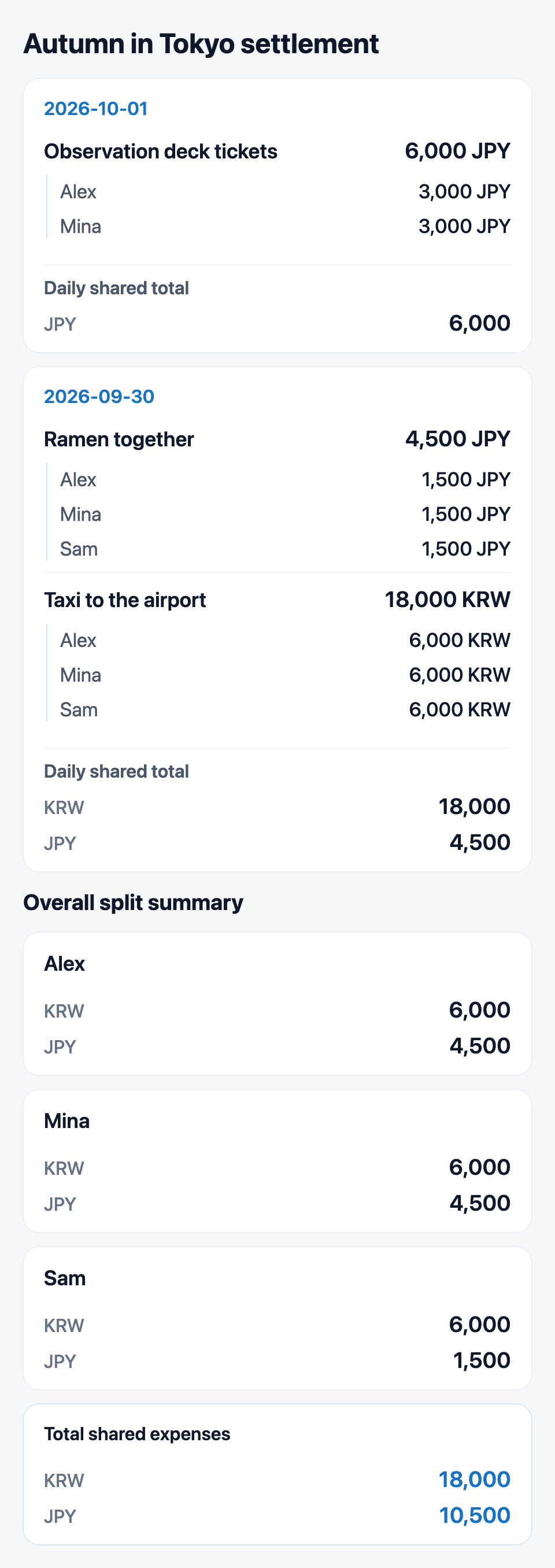
Tap Export breakdown in the summary to open a receipt-style image preview. Daily expenses, individual shares and the overall summary run down the image, making it easy to see how each cost was divided.
Tap Share image, then choose a destination app from your phone's share sheet. Choose Share text when you want to add a message or copy amounts. Your companions can use the shared breakdown to check their allocated amounts.
Start with one shared expense on your next trip
- Record one shared cost in Budget.
- Choose participants in Split expense and save equal or individual amounts.
- Review the breakdown by date or person in Split summary, then send it as an image or text.
Keep the travel budget and your friends' shares together within the same trip. Prepare your next trip's expenses with Tripop